

How do touchscreens know where your finger is? Most phones and tablets use a capacitive screen: a grid of transparent electrodes under the glass that carries a weak electric field. Your finger conducts electricity, so touching the glass disturbs that field at one spot, and a controller chip works out the location from the change in the grid’s signals. This guide explains how touch screens work step by step, including how a capacitive touch screen finds a fingertip, why gloves and plastic styluses fail, how the older resistive design differs, how multi-touch works and where the first touchscreens came from.
How do touch screens work on a phone?
A modern phone screen is a stack of layers, and the touch sensor sits just beneath the outer glass. According to ScienceAlert and Analog Devices, that sensor is a pattern of transparent conductive lines, with one set running horizontally and another running vertically. Each point where a horizontal and a vertical line cross behaves like a tiny capacitor, and the controller sends a small signal through the grid and measures how every crossing responds.
A fingertip changes that measurement. The human body conducts electricity, so when you touch the glass you distort the screen’s electrostatic field and reduce the capacitance at the crossings near your finger, as described by Wikipedia and Nelson Miller. Nothing has to move or click. The screen simply notices that a conductive object has changed the electrical picture at one place.
Detecting a presence by measuring a small electrical change is not unique to phones. Our article on how traffic lights detect motorcycles looks at another everyday example of a system that senses something without a mechanical switch.
How does the controller find the exact touch point?
The controller does not look at the glass; it reads numbers. It samples each line of the grid and compares the readings with the values the screen produces when nothing is touching it. Where a finger lowers the signal, the crossings beneath and around the fingertip report a change, and the controller passes the location of those crossings to the phone’s software, which treats it as a tap, a swipe or a press.
Precision depends on how much information the controller gathers. Analog Devices notes that a controller collecting samples from a larger surrounding area has more reference points for calculating a touch’s location, and Wikipedia states that resolution improves as the number of crossing points increases. That is why a well-designed screen can follow a slow, small movement of a fingertip smoothly.
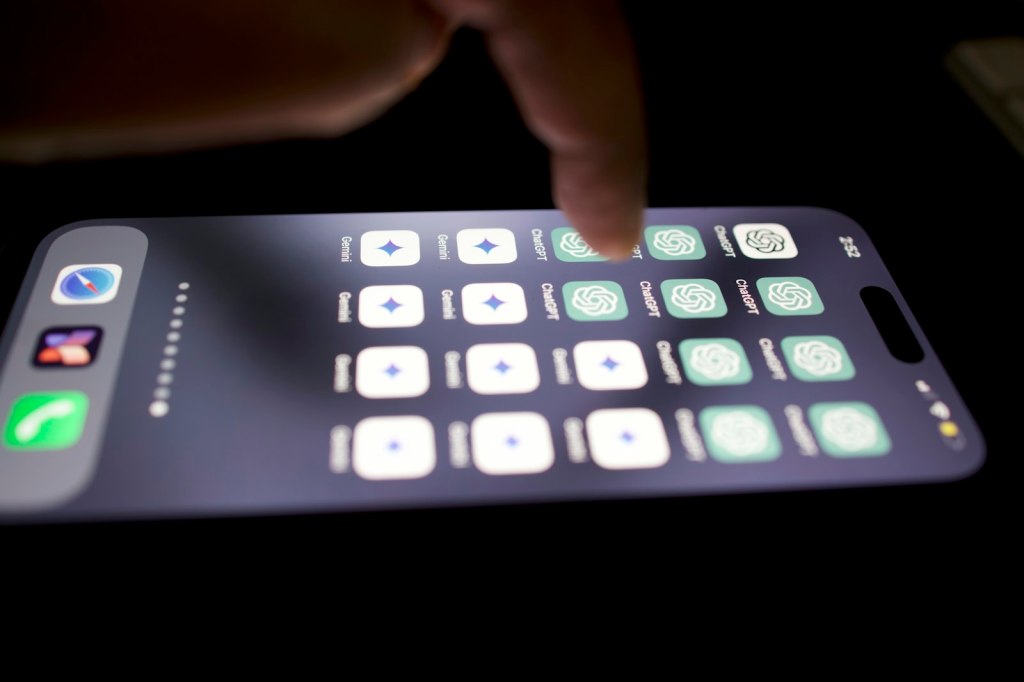
Why do touch screens work with fingers only?
Because a capacitive screen needs a conductor. ScienceAlert says gloves and plastic styluses are essentially insulators, and Nelson Miller explains that a glove limits the electricity flowing between the device and your body, so the screen cannot register enough of a change. Analog Devices and Wikipedia agree that gloves are typically insulating and weaken the signal the controller depends on.
There are workarounds. Nelson Miller and Wikipedia both describe gloves that carry conductive material in the fingertips, such as copper or aluminum in the first description and conductive thread in the second. They also both note that projected capacitive screens, the type used in most phones, can sense through thin or light gloves, which is why a thin glove such as a surgical glove can work on some screens and a thick winter glove usually does not.
The same logic applies to styluses. A stylus has to be able to conduct, because ScienceAlert’s point about plastic styluses being insulators and Nelson Miller’s description of conductive fingertip materials both lead to the same conclusion: whatever touches a capacitive screen must change the electrical field the way a finger does.
How is a resistive touch screen different?
A resistive screen senses pressure rather than electrical properties. ScienceAlert and Wikipedia’s article on resistive screens describe two flexible layers held slightly apart. Pressing pushes the top layer into the bottom one, and the electronics then calculate where the contact happened. Because the screen reacts to pressure, a bare finger, a gloved finger or a stylus all work, as ScienceAlert, Wikipedia and Nelson Miller report.
Resistive designs come with trade-offs. Both ScienceAlert and Wikipedia’s resistive article describe them as inexpensive compared with other technologies. At the same time, ScienceAlert says their plastic layers give a hazy look, and Wikipedia’s touchscreen article lists poorer contrast as a drawback. A capacitive screen, in contrast, sits behind a solid glass surface and responds to a light touch without any pressing.

How does multi-touch work?
Multi-touch depends on how the grid is read. In mutual capacitance sensing, signals are applied to the crossing conductors and a finger reduces the capacitance at each intersection it covers, so the controller can see several separate touch points at once. Wikipedia and Analog Devices both identify mutual capacitance as the approach that supports multi-touch.
Self capacitance works differently. Each line is read independently, which Wikipedia describes as more sensitive but mainly suited to a single touch, and Analog Devices says it is generally limited to one touch, or two with ghosting. In practical terms, the grid layout and the way it is scanned decide whether a screen can follow two fingers moving apart or only one.
Who built the first touchscreens?
Eric A. Johnson of the Royal Radar Establishment in Malvern, England, described a capacitive touchscreen in 1965, aimed at air traffic control, according to Embedded Computing and History-Computer. Wikipedia also dates his first short article on the subject to 1965.
A few years later, Danish engineer Bent Stumpe, working at CERN, proposed a capacitive touch screen with programmable buttons. CERN Courier and History-Computer both date the proposal to March 1972 and the first working screens to 1973. History-Computer says the design was intended for the control room of the Super Proton Synchrotron, CERN’s particle accelerator, and CERN Courier reports that the machine started up in 1976 with its control room fully equipped with these screens.
Work on multi-touch began early too. Wikipedia and History-Computer both place the University of Toronto’s multi-touch research in 1982. The technology reached the mass market with the smartphone. IEEE Spectrum and TechSpot report that Apple unveiled the iPhone in January 2007 with a 3.5-inch (about 8.9 centimeters) touchscreen at 480 by 320 pixels, that Apple had acquired the multi-touch company FingerWorks in 2005, and that the phone relied on the finger rather than a stylus. Wikipedia and IEEE Spectrum add that LG’s Prada phone, released shortly before the iPhone in 2007, was the first to reach the market with a capacitive screen.
What was left out, and why?
Several details were dropped because only one source supported them or the sources disagreed. The patent date for Johnson’s design appears as 1966 in one source and 1969 in another, so it is omitted. Sources conflict on whether resistive screens can handle more than one touch, with one saying they cannot and another saying it is possible, so that comparison was left out. Single-source details were also removed: the share of touchscreens that are capacitive, how long resistive screens have existed, when projected capacitive screens overtook resistive ones in sales, the electrical figures of the first CERN buttons, the dates for early self and mutual capacitance work, how screen noise and thick cover glass affect accuracy, and a widely quoted remark about styluses from the iPhone launch.
Frequently asked questions
How do touchscreens work in simple terms?
A grid of transparent conductors under the glass carries a small electrical signal. Your finger conducts electricity, so it changes that signal where you touch, and a controller turns the change into a position.
What is a capacitive touch screen?
It is a screen that detects touch by measuring changes in capacitance, the ability of the grid crossings to hold an electrical charge. Wikipedia and Nelson Miller both describe this as the principle behind the screens on most phones.
Why do touch screens not work with gloves?
Ordinary gloves are insulators, so they block the small change in charge that a bare finger produces. Gloves with conductive fingertips, or thin gloves on some screens, can still work.
Can I use a stylus on any touch screen?
It depends on the screen type. Resistive screens accept a stylus because they respond to pressure, while a capacitive screen needs a stylus that conducts electricity in a way similar to a finger.
What was the first touch screen?
E. A. Johnson described a capacitive touchscreen at the Royal Radar Establishment in 1965, and CERN had its first working capacitive touch screens in 1973.
Every tap on a phone is the result of a small electrical measurement made many times a second, and if you enjoy clear explanations like this one, subscribe to the channel at https://www.youtube.com/@mrglobalrankss.
Related reading: How traffic lights detect motorcycles and Why U.S. highway exit ramps are cloverleaf shaped, two more looks at the engineering behind everyday technology.
Sources
- ScienceAlert: How does a touchscreen actually work?
- Analog Devices: Projected-Capacitive Touch Systems from the Controller Point of View
- Wikipedia: Touchscreen (Touch panel)
- Wikipedia: Resistive touchscreen
- Nelson Miller: Why Can’t I Wear Gloves With My Touchscreen?
- Embedded Computing: The Royal Air Force and the Invention of the Modern Touchscreen
- History-Computer: 4 Facts About Touch Screen
- CERN Courier: The first capacitative touch screens at CERN
- IEEE Spectrum: The Consumer Electronics Hall of Fame: Apple iPhone
- TechSpot: Legends of Tech: Apple iPhone


Leave a Reply